
Running a business requires finding people who want to buy what you sell. Most marketing guides say to post short updates on social media ten times a day. That is bad advice. It takes a lot of time, and short posts disappear in a few hours.
Real buyers need deep proof before they spend money. They want to see that the business understands their specific struggles. Short posts cannot do this. Writing long, simple articles is the best way to prove your value. This comprehensive guide shows how to use LinkedIn Articles to reach more buyers without wasting time.
Why Standard Feed Posts And Long Articles Are Different?
To get the best results, you must understand that standard social media updates and native articles do not do the same job.
Short Posts Are For Quick Hello Waves
A standard feed update is like waving to someone in a crowded hallway. It is short, fast, and easy to see. People scroll past it on their lunch break. It gets quick clicks or likes, but it disappears into the digital noise after twenty-four hours. You cannot use a short post to explain a massive, complicated business process.
Articles Are For Deep Sitting Discussions
An article is like sitting down in a quiet office to have a long conversation. People do not read articles by accident; they click on them because they want to learn something specific.
Because these articles live permanently on your profile page, they act as an ongoing portfolio of your knowledge. A prospective customer can read your articles from three months ago and decide to hire you today based on that old writing.
The Big Secret: Using Articles For Recycling
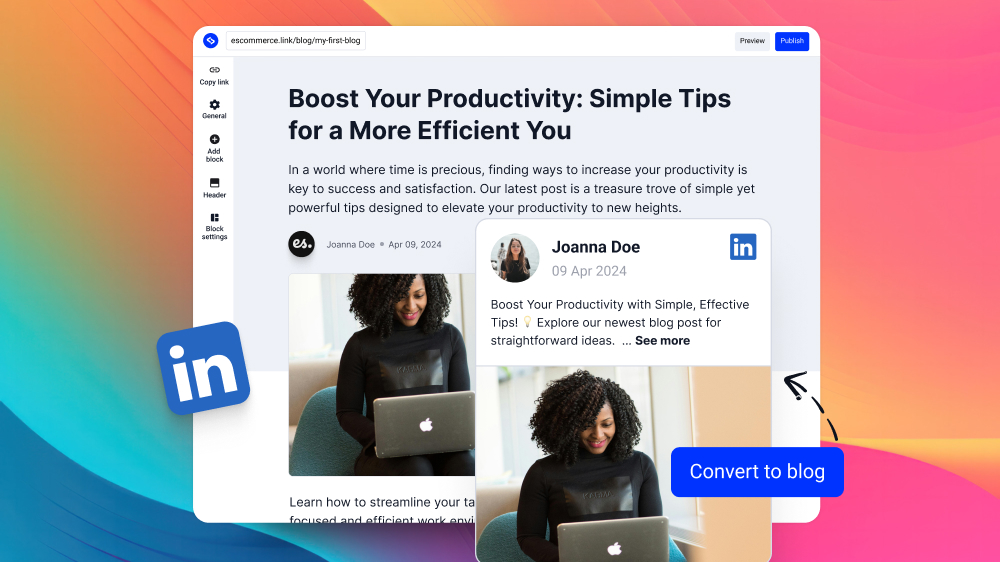
The hardest part of content marketing is trying to write new things every single week. It takes too much mental energy. The smartest businesses do not write new things for LinkedIn from scratch. They use a system called content recycling.
                 ┌────────────────────────────────┐
                 │ 1. Write Blog for Main Website │
                 │ (Host it on your own domain)   │
                 └───────────────┬────────────────┘
                                 │
                                 ▼
                 ┌────────────────────────────────┐
                 │ 2. Extract the Best Core Ideas │
                 │ (Simplify the paragraphs)      │
                 └───────────────┬────────────────┘
                                 │
                                 ▼
                 ┌────────────────────────────────┐
                 │ 3. Publish Natively on LinkedIn│
                 │ (Link back to the original)    │
                 └────────────────────────────────┘
How To Recycle Your Writing?
If you already have a helpful blog post on your business website, do not leave it there to gather dust. Take that exact blog post, make the sentences shorter and simpler, and publish it directly on LinkedIn as an article.
At the bottom of the LinkedIn Article, put a clean link pointing back to the original page on your website. This is highly efficient. It gives your best writing a second life and sends warm, interested readers straight to your main website.
Step-by-Step Guide To Writing Your Article
Setting up a LinkedIn Article for success requires a clean, organized process. Follow these exact steps to ensure the writing looks professional and ranks highly.
Step 1: Open the Editing Screen
Log into your desktop LinkedIn account. Look at the top of the main page where people normally write daily status updates. Click the button that says “Write article”.
This action opens a clean, white screen. This screen is your writing draft page. It works just like a simplified word processor. It saves your work automatically so the text is never lost.
Step 2: Add a Great Cover Graphic
The main image sits at the very top of the article. It is the first visual element a reader sees.
The Technical Size Specifications
Use an image that is exactly 1200 pixels wide by 627 pixels high. This size is a standard $16:9$ aspect ratio. It ensures the graphic displays perfectly on large laptop screens, wide desktop monitors, and tiny mobile phone displays without any ugly stretching or cropping.
The Visual Style Rules
Do not use boring, generic stock photos of office workers staring at computers or business people shaking hands. These photos look fake, and readers scroll past them instantly.
Instead, use a bright, high-contrast graphic. The graphic should feature the main title of the post in big, clear lettering. A simple blue background with clean white text is highly effective.
Step 3: Write a Punchy Headline
The title is the door to your article. If the door looks boring, nobody will walk in. This first click determines your Click-Through Rate (CTR).
The title must be clear and direct. Avoid poetic, confusing, or artistic phrases. Tell the reader exactly what problem you are going to solve.
Bad Title:
A Discussion on Essay Structure(Too boring, no clear benefit)Good Title:
How to Write Your Law Assignment in Half the Time(Clear benefit, targets a specific audience)
Keep your titles under 60 characters so Google search results do not cut off the ending of the sentence with an ellipsis (…).
How To Format Your Text?
People do not read text on computer screens the same way they read physical paper books. They read very fast. They skip lines, jump paragraphs, and look for quick answers to their immediate questions. If an article looks like a massive wall of solid gray text, readers will click the back button immediately.
Use Clear Headings (H2 and H3 Tags)
Headings act like big road signs on a long highway. When people read on a computer screen, they do not read every single word. Instead, eyes jump down the page looking for quick answers. If a page has no signs, readers get confused and leave. Breaking the text into tiny chapters using headings makes reading easy. Use the biggest heading, called an H1, only once at the very top for the main title of the page.
Next, use medium headings, called H2 tags, for the main steps or big ideas. If a big step has smaller details, use small headings, called H3 tags, under that specific section. Put the main keywords inside these headings so search engines know exactly what each chapter is about.
Keep Paragraphs Short
Long blocks of text look like massive gray walls. When a reader sees a huge paragraph on a tiny mobile screen, the brain gets tired immediately. It looks like too much hard work to read, so users click the back button. To keep readers happy, keep paragraphs very short. A good paragraph on the internet should never be longer than three sentences. Sometimes, even a single sentence is enough to make a strong point. Short blocks of text create visual breathing room on the screen, helping the brain process one small idea at a time.
Bad Example:
- To write a successful legal paper, a student must locate peer-reviewed journals, organize notes chronologically to prevent confusion, write a compelling thesis statement early in the introductory paragraph, and carefully proofread the final draft multiple times to eliminate all grammatical errors before submitting the work to the professor.
Good Example:
- To write a successful legal paper, start by locating peer-reviewed journals.
- Next, organize your notes chronologically to prevent confusion.
- Finally, write a compelling thesis statement in the introduction and proofread the draft before submission.
Use Bold Lettering
Bold lettering acts like a magnet for a reader’s eyes. Since people skim web pages quickly, bold text helps them catch the most important parts of an article in seconds. If a reader only reads the bold words on a page, the core message of the entire piece should still make complete sense. However, use this tool with caution. If every second sentence is bolded, the page looks cluttered, messy, and difficult to read. Only bold words that carry the most weight in a sentence.
Standard Text:
The absolute best way to protect your business website from malicious hackers is to install a secure sockets layer certificate on your main hosting server immediately.
Optimized Bold Text:
The absolute best way to protect your business website from hackers is to install an SSL certificate on your hosting server immediately.
Use White Space
White space is the empty area on a page where there is no text or images. Many people think empty space is wasted space, but in digital design, it is a crucial tool. Without white space, a page looks crowded, stressful, and chaotic. Putting large gaps of empty space between headings, paragraphs, and images prevents visual overload. It gives the reader a moment to rest before moving to the next big idea.
Bad Layout:
How to Study: To study effectively, find a quiet room.Turn off your mobile phone.Take notes by hand on physical paper.Take a five-minute break every half hour to keep your mind fresh and active.
Clean Layout:
How to Study:
- To study effectively, find a quiet room and turn off your mobile phone.
- Take notes by hand on physical paper to improve memory retention.
- Take a five-minute break every half hour to keep your mind fresh and active.
Use Simple Visual Tables
Tables are the ultimate tool for comparing data without using dense, confusing paragraphs. When explaining differences between two options, a standard paragraph format forces the reader to jump back and forth between sentences to compare the facts. A simple table solves this problem by aligning the data side-by-side in clear rows and columns. This layout allows the reader to spot the key differences in a fraction of a second.
Text-Based Comparison
A standard blog post has a limit of 2,200 characters, is designed for quick social media updates, and disappears from the main feed within twenty-four hours. On the other hand, a LinkedIn Article has no word limit, is built for deep industry authority, and lives on your profile permanently.
Table Comparison
| Metric | Standard Blog Post | LinkedIn Article |
| Word Limit | Restricted to 2,200 characters | Unlimited word count |
| Primary Goal | Quick social media updates | Deep industry authority |
| Lifespan | Disappears within 24 hours | Lives on your profile permanently |
Sharing And Promoting Your Article After Publishing
Share A Teaser Post on Your Main Feed
Clicking the publish button is only half the battle. If a business owner does not actively guide people to the article, it will struggle to get views. Write a short, highly engaging update on your main news feed right after publishing. Do not just write a boring, automated message like “I wrote a new article.” Instead, share the single best tip from your article directly in the post body. Give away most of the value first, and then direct users to click the link to read the remaining steps in the full article.
Example Post
💡 Want to write your law assignments in half the time?
The secret is starting with chronological note-taking. It stops you from getting confused when drafting your legal arguments.
Read the next 4 steps to finish your paper fast: [Link to LinkedIn Article]
Send The Article Directly To Warm Prospects
If a prospective customer or client contacts your business with a common question, do not respond with a boring, aggressive sales pitch. Instead, send them the direct link to your helpful article. This provides massive, immediate value to the person. It also proves the business is run by real experts who know how to solve problems without sounding pushy or desperate.
Example Message
“Hi David, saw your post about your team struggling with content planning. This step-by-step guide covers how to fix that exact layout issue. Section three has some quick templates. Hope it helps!”
Share The Article In Relevant Niche Groups
LinkedIn has thousands of dedicated professional groups filled with your exact target audience. Join active groups where your prospective clients hang out to ask questions and share advice. When someone posts about a problem that your article solves, leave a helpful comment explaining the solution and share your article link for further reading. Avoid spamming groups with raw links; always write a helpful, personalized explanation first to respect the community.
Example Comment
“Hi Sarah, I ran into the same formatting issue last month. The best trick is to use H2 and H3 tags to split the chapters. I wrote a quick guide with a visual layout template if you want to copy it: [Link to LinkedIn Article]”
Tag Key Industry Contributors In The Comments
Once your article is live, start a conversation by tagging a few trusted peers, industry colleagues, or clients in the comments section of your promotional feed post. Ask for their specific thoughts or experiences on the topic. This keeps the comment section active, which signals to the LinkedIn algorithm that your post is highly valuable and should be shown to a wider network. Keep the tags relevant and avoid tagging strangers who have no connection to the topic.
Example Comment
“I know @JohnDoe and @JaneSmith have been streamlining their research process lately. What is your go-to tool for keeping legal notes organized? Would love to hear your thoughts on step two!”
Send The Article In Your Email Newsletter
Your email subscribers are your most valuable, warm audience because they have already opted in to hear from you. Do not let your list sit cold for months. Send a dedicated email to your subscribers summarizing the key takeaways of your new LinkedIn Article. Explain exactly how the advice will save them time or money, and include a clear, clickable button directing them to read the full piece on LinkedIn.
Example Email
Subject: The 3-second formatting trick for mobile readers…
Hello,
Most people click the back button because they see a massive wall of text.
We put together a quick guide showing how to use white space and short paragraphs to keep your readers happy.
[Read the Step-by-Step Guide]
Conclusion
The internet is changing fast. Right now, the web is flooded with billions of generic, robotic articles. Because of this, search engines like Google are updating their algorithms to penalize low-effort, repetitive pages. Real human readers are also tired of reading boring, formulaic text. The secret to winning the digital marketing game today is simple: authenticity and depth.